



Show the Right Product Details Every Time: Solving Magento’s Child Product Data Problem
What are configurable products and child products in Magento?
Configurable Products
Configurable products are one of the most commonly used product types in Magento. They allow merchants to sell multiple variations of a product - such as different sizes, colors, or materials - under a single product page. From a customer’s perspective, this feels simple: one product, multiple options. Importantly, the parent product itself cannot be purchased. It only exists to group and present its variations.
The Child Products
Each variation of a configurable product is represented by a child product, usually a simple product. Child products define the actual purchasable items, including:
- The concrete attribute combination (e.g. Red / Size M)
- SKU
- Stock status and quantity
- Price (if pricing differs per variant)
- Variant-specific data such as descriptions or images
When a customer selects options on the product page, Magento internally resolves the matching child product and adds that product to the cart.
How Is a Configurable Product Shown in the Frontend?
When a configurable product is displayed in the Magento storefront, customers interact with what appears to be a single product page. In reality, Magento renders this page almost entirely based on the parent product, not on the individual child products.
It loads the following information from the parent product:
- Product name
- SKU
- Short and full description
- Attribute values in the “More Information” section
- Related, upsell, and cross-sell products
- Meta data and structured data
As soon as the customer chooses a variation, Magento updates only Price, Stock status and if configured correctly the image gallery. All other information are still the ones from the parent product.
Why is that bad?
Let’s imagine you would like to buy a parasol, which exists in different shapes and sizes.
Every model has its own technical details like the max wind speed, the weight or the exact measurements.
When you choose a specific shape and size now, only the price and the availability changes.
But all technical data, the SKU and the description are still the ones from the parent product.
This way, you don’t really know at all if the parasol fits your requirements.
What Can We Do About It?
The good news is that this problem is not caused by missing data - it’s caused by how Magento displays that data. All the information already exists on the child products and this is where our module Child Product Data comes into place. It is built in a way, that it works with any custom theme which is based on Luma or Hyvä. You simply need to define the fitting identifiers for the information which shall be changed and everything else happens automatically.
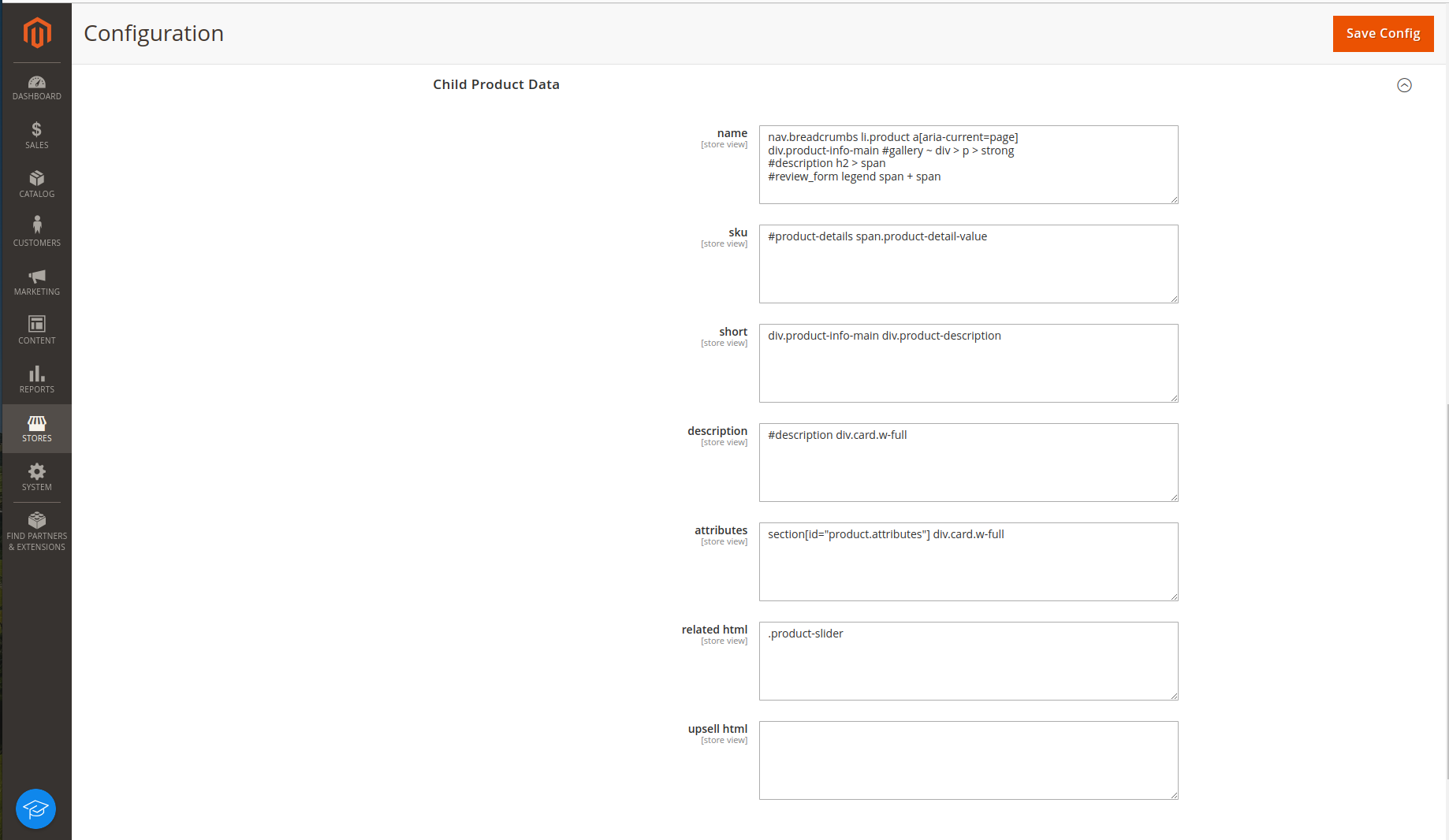
This way, a customer actually sees the information of the chosen child product and not the default details of the parent product.
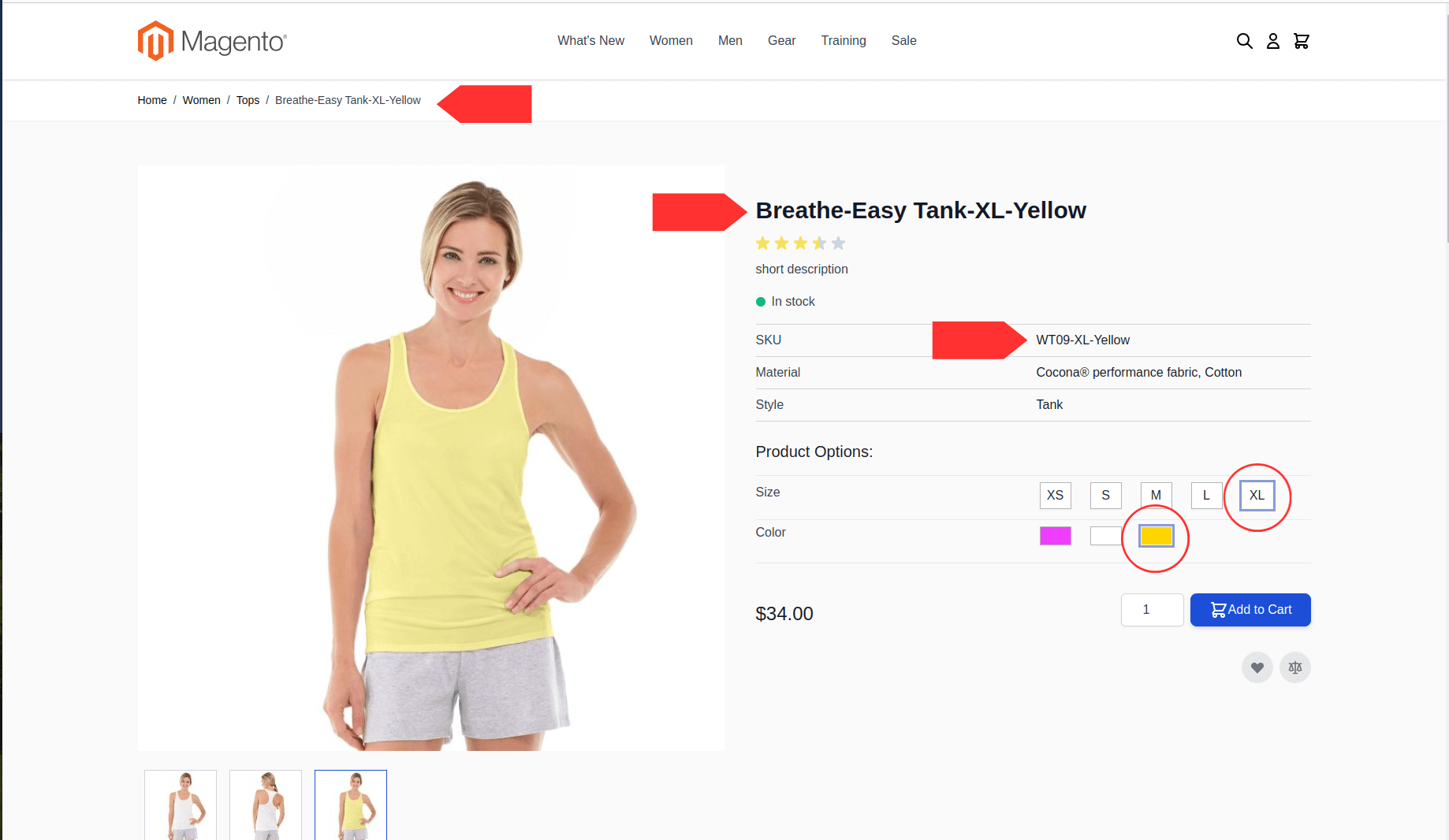
Key Features & Benefits
The Child Product Data module closes the gap between Magento’s configurable product logic and what customers actually see on the product page. Instead of showing mostly static parent product information, it ensures that the frontend reflects the selected variant consistently and clearly.
Key Features
- Dynamic product information updates: Automatically replaces parent product data with the selected child product’s data as soon as an option is chosen.
- SKU, name, and description switching: Displays the real SKU, product name, short description, and full description of the selected variant.
- Related and upsell products per variant: Loads related and upsell products dynamically based on the selected child product, not the parent.
- AJAX-based updates: Content updates happen without page reloads, keeping the experience fast and seamless.
- Theme-friendly configuration: Works with both Luma and Hyvä themes and supports customized HTML structures via configurable identifiers.
Benefits for Merchants and Customers
- Clear confirmation of the selected product: Customers can immediately see that the page reflects their exact choice - reducing uncertainty at the moment of purchase.
- Improved trust and conversion rates: Accurate, variant-specific information builds confidence and lowers the risk of hesitation or abandonment.
- Fewer support requests and returns: When product details are clear upfront, customers are less likely to ask questions or order the wrong variant.
- No custom development required: Eliminates the need for fragile, project-specific JavaScript solutions.
Conclusion
By making child product data visible and consistent on the product page, the module turns configurable products into a transparent and trustworthy shopping experience - exactly what customers expect from a modern Magento store. If you have any further questions or need assistance, please don’t hesitate to reach out. We are here to help!